


How to Switch POS Paper Suppliers: A Step-by-Step Guide
Bernard ColganTable of Contents
- Assess Your Current POS System and Paper Requirements
- Build a POS Printer Paper Compatibility Guide
- Research and Compare Thermal Paper Suppliers
- Buy Thermal Paper Rolls Wholesale: Pricing and Volume Options
- Understanding Phenol Free Thermal Paper Benefits
- Plan Your Transition and Test New Supplies
- Common Mistakes to Avoid When Switching Suppliers
- Frequently Asked Questions
Last Updated: September 27, 2026
Assess Your Current POS System and Paper Requirements
Before you switch POS paper suppliers, know exactly what your system needs. Many retailers guess at specifications and end up with incompatible rolls. This costs time, money, and frustration. Getting the details right from the start prevents costly mistakes later.
Identify Your Printer Model and Core Size
Find your printer's exact model number first. Check the manual or look at the device itself. The model tells you the paper width your printer accepts.
Next, measure your current roll's core size. The core is the cardboard tube inside the roll. Use a ruler to measure the diameter in millimetres.
Common core sizes are:
- 13mm
Write down both numbers. Your new supplier needs both to guarantee compatibility. A roll that's the right width but wrong core size won't fit your spindle and won't feed properly.
Document Your Current Paper Specifications
Measure the width of your current roll. Standard widths are 44mm, 57mm, and 80mm. Most modern Irish retail terminals use 80mm.
Note the roll diameter. This is the measurement across the face of the roll. Common diameters are 55mm, 60mm, and 70mm.
Check the paper weight if you can. This is usually printed on the roll wrapper as GSM (grams per square metre). Most thermal paper is 58-80 GSM.
Look at the thermal coating type. Check whether your current rolls are BPA-free or phenol-free. These are different chemicals. BPA-free does not mean phenol-free. If your staff or customers have sensitivities, this matters.
Create a simple checklist:
| Specification | Your Current Paper |
|---|---|
| Printer Model | |
| Paper Width (mm) | |
| Roll Diameter (mm) | |
| Core Size (mm) | |
| Paper Weight (GSM) | |
| Coating Type (BPA-free / Phenol-free / Standard) |
Keep this checklist. You'll use it to compare new suppliers.
Build a POS Printer Paper Compatibility Guide
Compatibility is the foundation of a smooth switch. Incompatible paper causes jams, print failures, and wasted receipts. It also damages your printer's print head over time.
Document what works with your system. Test one roll from your current supplier and note all the details. This becomes your compatibility baseline.
Check your POS system's official documentation. Most manufacturers publish approved paper specifications. Epson, NCR, IBM, and Axiohm all list compatible paper types. These lists are your safety net.
Write down the approved widths, diameters, and core sizes. Note any warnings about paper weight or coating. Some older systems struggle with very thick paper.
Keep this guide accessible. When you evaluate new suppliers, compare their specs against your guide. A supplier whose paper matches all your requirements is a safe choice.
Research and Compare Thermal Paper Suppliers
Finding the right supplier takes research. Look for businesses that understand Irish retail and hospitality needs. Local suppliers often offer faster delivery and better support than distant competitors.
Evaluate Quality and Certifications
Quality matters. Poor-quality thermal paper causes fading, print head damage, and customer complaints. Check whether the supplier's paper meets OEM specifications. OEM-approved paper is manufactured to the exact standards your printer manufacturer requires.
Look for certifications. Many quality suppliers certify their paper against industry standards. Ask the supplier for proof. Reputable businesses provide certificates without hesitation.
Check whether the paper is fade-resistant. Receipts that fade quickly upset customers and create record-keeping problems.
Ask about the thermal coating. If your business needs BPA-free paper for staff safety or customer preference, confirm the supplier offers it. Again, BPA-free and phenol-free are different. Know which one you need.
Check Delivery Speed and Geographic Coverage
Delivery speed matters in retail. Running out of receipt paper stops your checkout. Look for suppliers offering next-day delivery across Ireland.
Check whether the supplier serves your area. Some businesses offer fast delivery to Dublin and major cities but slower service to rural regions. If you're in Cork, Galway, or smaller towns, ask specifically about delivery times to your postcode.
Ask about stock availability. A supplier with Dublin-based warehousing can dispatch quickly. Suppliers importing stock from abroad often have longer lead times.
Read reviews from other Irish retailers if possible. Ask your peers which suppliers they use. Word-of-mouth feedback reveals delivery reliability and customer service quality.
Buy Thermal Paper Rolls Wholesale: Pricing and Volume Options
Wholesale pricing depends on volume. Buying in bulk saves money. Most suppliers offer tiered discounts for larger orders.
Understand the pricing structure before committing. Ask for a quote at different volumes. Compare the per-roll cost at 100 rolls, 500 rolls, and 1,000 rolls. This shows how much you save by ordering larger quantities.
Ask about minimum order quantities. Some suppliers require a minimum order. Others have no minimum but offer better pricing at higher volumes. Choose a supplier whose minimums match your storage capacity and cash flow.
Check whether the supplier offers account terms. Many Irish businesses operate on 30-day payment terms with their suppliers. Cash-only suppliers create cash flow problems for growing businesses. Ask whether terms are available for regular orders.
Understanding Phenol Free Thermal Paper Benefits
Phenol-free thermal paper is a growing choice in Irish retail and hospitality. Understanding the benefits helps you decide whether to switch.
Phenol-free paper removes a chemical used in standard thermal coatings. Some staff and customers prefer phenol-free for health and environmental reasons. If your business markets itself as eco-conscious, phenol-free paper aligns with that brand.
Phenol-free paper performs identically to standard paper in most applications. Receipts print clearly. The paper feeds smoothly. Fade resistance is comparable. The main difference is the chemistry, not the performance.
Cost is similar. Phenol-free paper costs roughly the same as standard thermal paper. Switching doesn't require a budget increase.
Check whether your printer accepts phenol-free paper. Most modern EPOS systems do. Older terminals sometimes have compatibility issues. Test a small batch before committing to large orders.
Plan Your Transition and Test New Supplies
Switching suppliers requires planning. A poor transition disrupts your checkout and frustrates staff. A smooth transition takes a few days and prevents problems.
Order a Trial Batch
Before switching completely, order a small trial batch from the new supplier. This costs little and prevents expensive mistakes.
Order enough for a few days of normal operation. If you sell 200 receipts daily, order 500-1,000 rolls. This gives you time to test thoroughly.
Request rolls that match your current specifications exactly. Same width, diameter, and core size. Same paper weight if possible. This isolates the supplier variable and makes testing fair.
Run Compatibility Tests
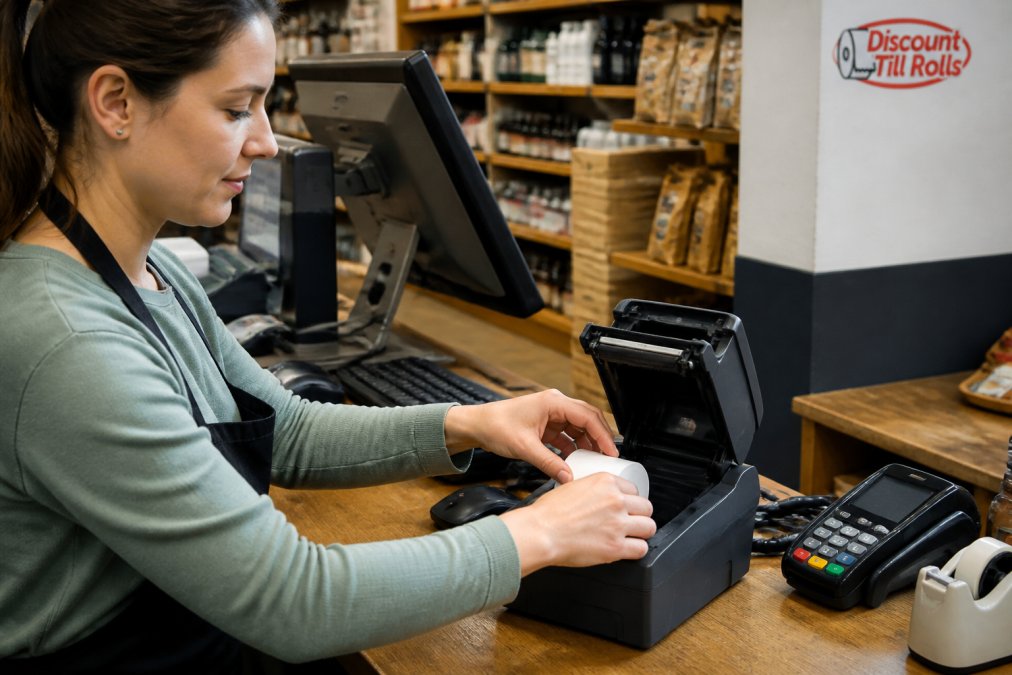
Load the trial rolls into your POS printer. Print test receipts. Check print quality, darkness, and clarity. Compare them to receipts from your current supplier.
Print at least 50 test receipts. This reveals any intermittent issues. One or two good receipts don't guarantee reliability.
Check for jams or feed issues. If the paper jams, stop immediately. Don't force it. Poor core size or paper thickness causes jams. Switch back to your current supplier and contact the new supplier to resolve the issue.
Test in your actual checkout environment. Use the rolls during normal business hours. Staff will notice issues that lab testing misses.
Run the trial for at least three days. This covers different times of day and different transaction volumes. Peak hours stress your printer more than quiet periods.
Document your findings. Note print quality, feed reliability, and any issues. Share feedback with your staff. Their real-world experience matters.
Common Mistakes to Avoid When Switching Suppliers
Learning from others' mistakes saves time and money. These are the most common errors retailers make when they switch POS paper suppliers.
Switching without testing first. Ordering a year's supply of incompatible paper is expensive. Test first. Always.
Mismatching core size. The paper width looks right but the core doesn't fit. Your printer won't accept it. Check core size before ordering.
Confusing BPA-free and phenol-free. These are different chemicals. Your staff or customers might need one specifically. Don't assume they're interchangeable.
Ignoring delivery times. Choosing a supplier that takes two weeks to deliver creates stock-outs.
Frequently Asked Questions
How do I know which size thermal paper roll my POS printer needs?
Check your existing roll's wrapper for the width and diameter (e.g., 80×70mm or 57×55mm), or consult your printer's manual. Common formats include 80×70mm for standard EPOS systems, 80×60mm for compact terminals, and 57×55mm for smaller till compartments. Measure your current roll across its face if unsure. Discount Till Rolls supplies all major formats with OEM-approved specifications to match Epson, NCR, IBM, and Axiohm printers.
What is the difference between BPA-free and phenol-free thermal paper?
BPA-free and phenol-free are separate specifications. BPA-free means no bisphenol A in the thermal coating; phenol-free means no phenol. A product cannot be both simultaneously unless explicitly stated. BPA-free thermal paper is safer for staff handling receipts daily, particularly in food-service environments. If your business requires phenol-free thermal paper, confirm this specification with your new supplier before ordering.
Why should I choose a local Irish POS paper supplier?
Local suppliers offer next-day delivery across Ireland, reducing downtime when you run out of stock. They understand Irish business needs and POS system compatibility. Discount Till Rolls, based in Dublin, provides same-day dispatch before 1pm and free delivery nationwide, ensuring your operations never pause. Local suppliers also offer account terms and bulk discounts suited to Irish retail and hospitality businesses.
What are the benefits of bulk buying thermal paper rolls wholesale?
Bulk purchasing reduces per-roll costs and ensures consistent supply for high-volume operations. Wholesale pricing from suppliers like Discount Till Rolls includes bulk order discounts, making it cost-effective for cafés, restaurants, and retail chains. Buying in bulk also minimises reordering frequency, freeing up time for other tasks. Most wholesale suppliers offer volume breaks on standard formats like 80×70mm and 57×55mm rolls.